Encouragement on the Big Screen: A Live Message Wall at an Academic Conference
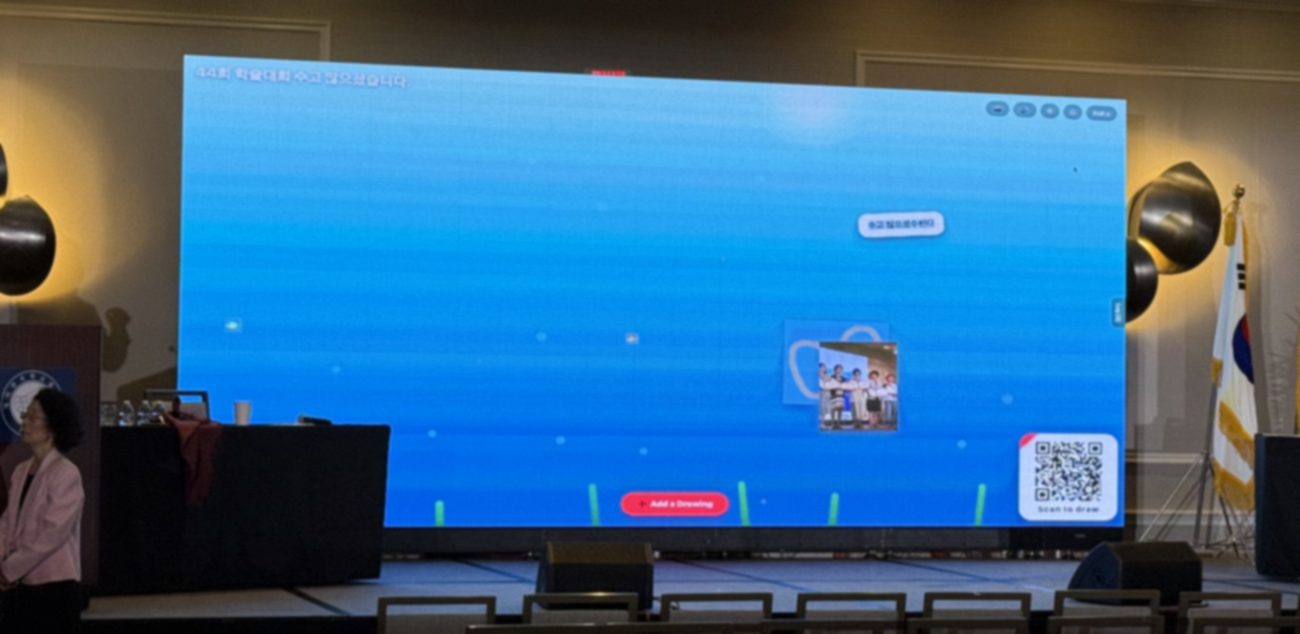
Academic conferences are demanding: months of work compressed into a ten-minute talk, delivered to a room of peers. At one recent event, the organizers added something small that changed the mood entirely — a live wall where attendees could send each other messages of encouragement, appearing on the big screen in real time.
The gap a conference often has
Conferences are rich in content and thin on connection. People present, applaud politely, and move to the next room. The nervous PhD student who just gave their first talk rarely hears how it landed; the quiet researcher in the back never gets a word in. A shared encouragement wall closes that gap. Between sessions, anyone could scan a QR code and post a short note — "Great talk on the protein-folding results!" or simply "You did it — congrats on your first presentation!" — and watch it join everyone else's on the main screen.
What made it work was how low the barrier was. No app to install, no conference platform login, no hunting for the right hashtag. Point a phone camera at the screen, type a line, send. Within moments the wall became a warm, scrolling stream of collegial goodwill.
Why it fit a professional setting
- It's frictionless. Busy attendees won't download anything for a two-day event. A QR code that opens straight in the browser gets participation that an app never would.
- It's inclusive. The people who never speak up in a Q&A will happily send a written note. A message wall gives the whole room a voice, not just the confident few.
- It's moderated by design. The host controls the screen and can remove anything off-topic, so the wall stays professional and on-message.
- It creates a record of goodwill. Save a snapshot at the end and the organizing committee has a genuine artifact of the community's spirit — nicer than any feedback form.
Ways to use a live wall at a conference
1. An encouragement wall between sessions
Invite attendees to leave a supportive note for a speaker or a peer. It's especially meaningful after early-career talks, where a few kind words can make someone's whole conference.
2. A welcome wall at registration
As people arrive, ask them to send where they've travelled from or one thing they hope to learn. The screen fills with the shape of the room before the first keynote even starts.
3. A takeaways wall at the close
End the event by asking, "What's one idea you're taking home?" The collective answer becomes a fitting summary of the days — and a great photo for the post-event recap.
4. A networking icebreaker
During a poster session or mixer, a wall of "ask me about…" notes gives strangers an easy reason to start a conversation.
💡 Keep the prompt specific. "Send a note of encouragement to a speaker you saw today" produces warmer, more focused messages than an open-ended "post anything."
How to set it up in a few minutes
- Open Drawing Playground on the main hall screen and title it for your event, e.g. "ICML Social 2026 💬".
- Display the QR code on a slide between talks, or on signage near the coffee and registration desks.
- Announce the prompt once from the podium so people know what to send.
- Let it run — the wall keeps the newest messages visible and gently retires older ones, so it needs no babysitting.
- Save a snapshot before closing if you'd like a keepsake for the committee or the event report.
A word on privacy
Attendees never create an account or share personal details to take part, and the optional name field isn't verified or linked to any identity. Messages live only in memory during the session and are discarded when it ends — nothing is stored on our servers. For the full details, see our Privacy Policy.
The takeaway
A conference is remembered as much for how it felt as for what was presented. A live message wall costs nothing, takes minutes to set up, and gives a roomful of focused professionals a simple way to lift each other up. Sometimes the most valuable thing on the big screen isn't a slide — it's a wall of people cheering each other on.
Start an encouragement wall for your event →